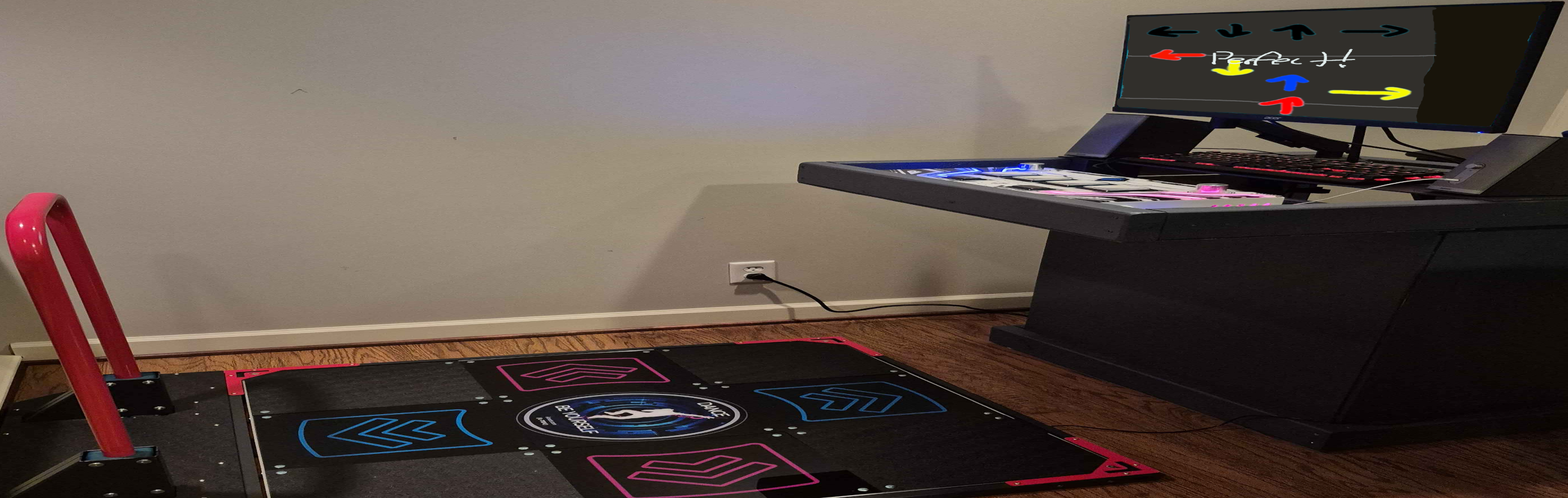
Intro
Buffalo NY was cursed with Dave & Buster’s instead of Round1, how am I supposed to play arcade rhythm games???
Simple! Drive all the way to Erie PA where the nearest Round1 is every time I want to play!
While this is a possibility, the length of the drive doesn’t make it enjoyable to do on a regular basis. So I decided to bring the arcade to me!
note: D&B does have a couple rhythm games but they are outdated and/or in poor condition
In The Beginning (History & Personal Background)
I first got exposed to rhythm games very early (around 5 years old) with Dance Dance Revolution Extreme and SuperNova on the PS2. Obviously, I was incredibly bad, but jumping around on the flexible dance mat was tons of fun.
I played Guitar Hero 3 and several of the guitar based games on the Wii growing up but never played seriously enough to get good.
Then 10 years ago I got into a rhythm game called Flash Flash Revolution (FFR), a web-based 4key Vertical Scrolling Rhythm Game (4k VSRG). This was when I really started to get into rhythm games. I got better and better and started exploring more (similar) rhythm games. First dabbling in StepMania but getting into Osu!Mania (o!m) and Etterna soon after.
I spent a while going between FFR, o!m, and Etterna but didn’t really play that seriously. But then Covid happened.
During covid I started playing, alot. I won two (divisioned) tournaments on FFR, stopped playing o!m, and set some incredible scores in Etterna. Here’s a video from that time.
As you can see, I was pretty decent. But as Covid ended and I was getting into college my Game Time (IYKYK) was greatly reduced. But something else happened at that same time. I went to Round1 for the first time.
Something about my mind being blown and what not
For a few years I didn’t play much, mostly playing during summer when I didn’t have to worry about college. Eventually, I figured out how to play Sound Voltex (SDVX) on the PC, still on keyboard. My basic understanding of Japanese from college helped, but navigating the Konasute (コナステ) service was tough. SDVX was fun and I got okay at it but something was missing without the proper arcade controller. A few years passed with this being the state of things. I played many of the mobile and Steam rhythm games but never really got into one.
Then one day, while working the software engineering role I got after college I had a thought. Now that I have a decent income why not bring the arcade to me?
Building The Cabinet
These were my design constraints when building the cabinet:
- Simple to construct
- Easy cable routing
- Room for SDVX (and possibly other) controllers to sit flush at hand level
- Stable (doesn’t wobble)
- Room for a desktop PC
- Area for a monitor that can be horizontal or vertical
The cabinet itself was constructed with several 2x4s, plywood, and whatever wood scraps I could “find” (steal from my dad).
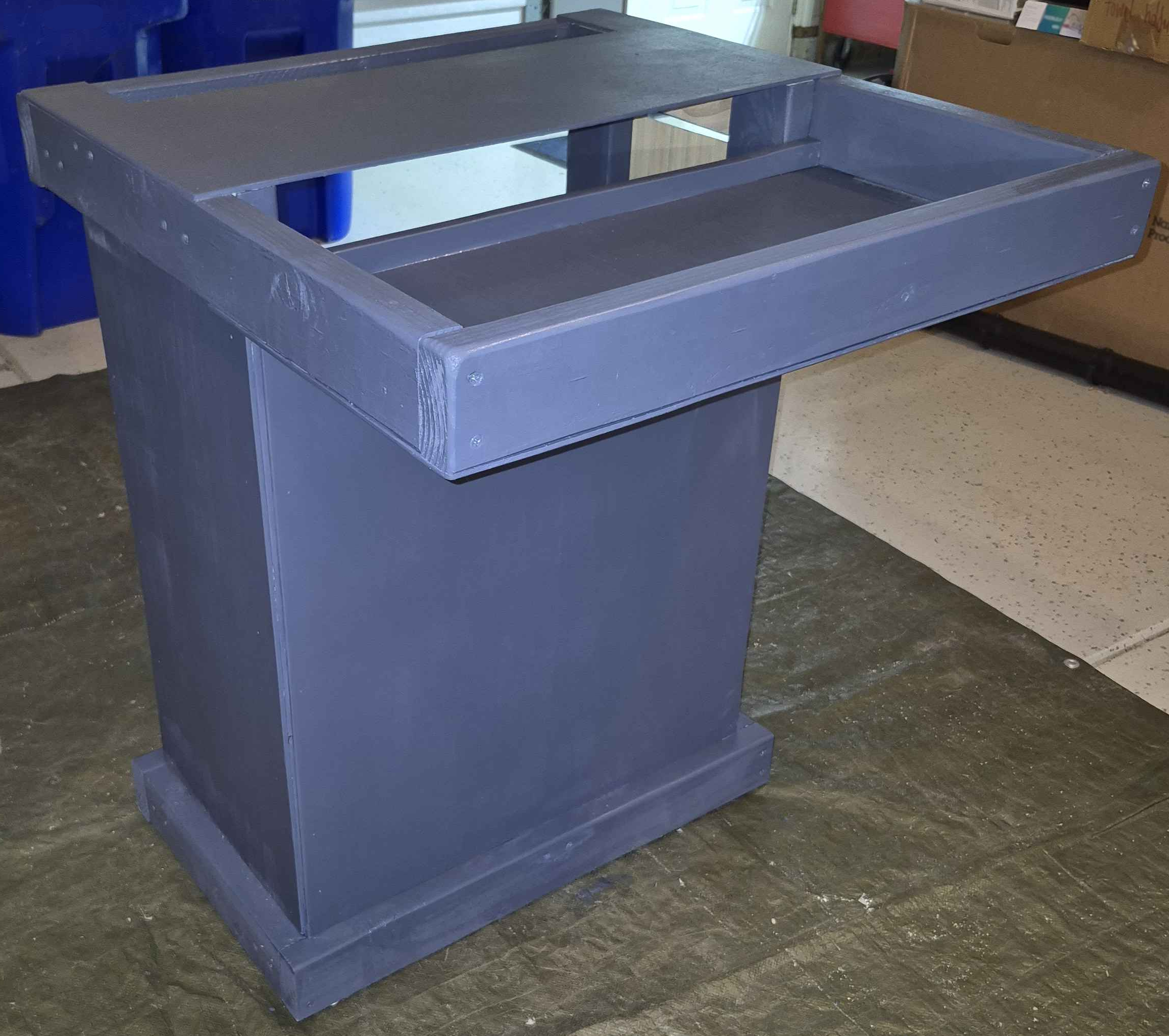
It ain’t pretty, but it gets the job done.
The holes in the top surface allow for easy cable routing. The controller tray sits at a nice level for the controllers and with the extra piece of wood on the back makes it sturdy enough for rhythm gaming.
I originally intended to have a door on the back but decided against it during construction to keep things simpler. The base has adjustable feet on the underside which keep it from wobbling. There is a platform inside slightly raised from the bottom which is held in place with a 2x4 and some hinges, that’s where the PC would live.
With that, we’re ready for the hardware.
The Hardware
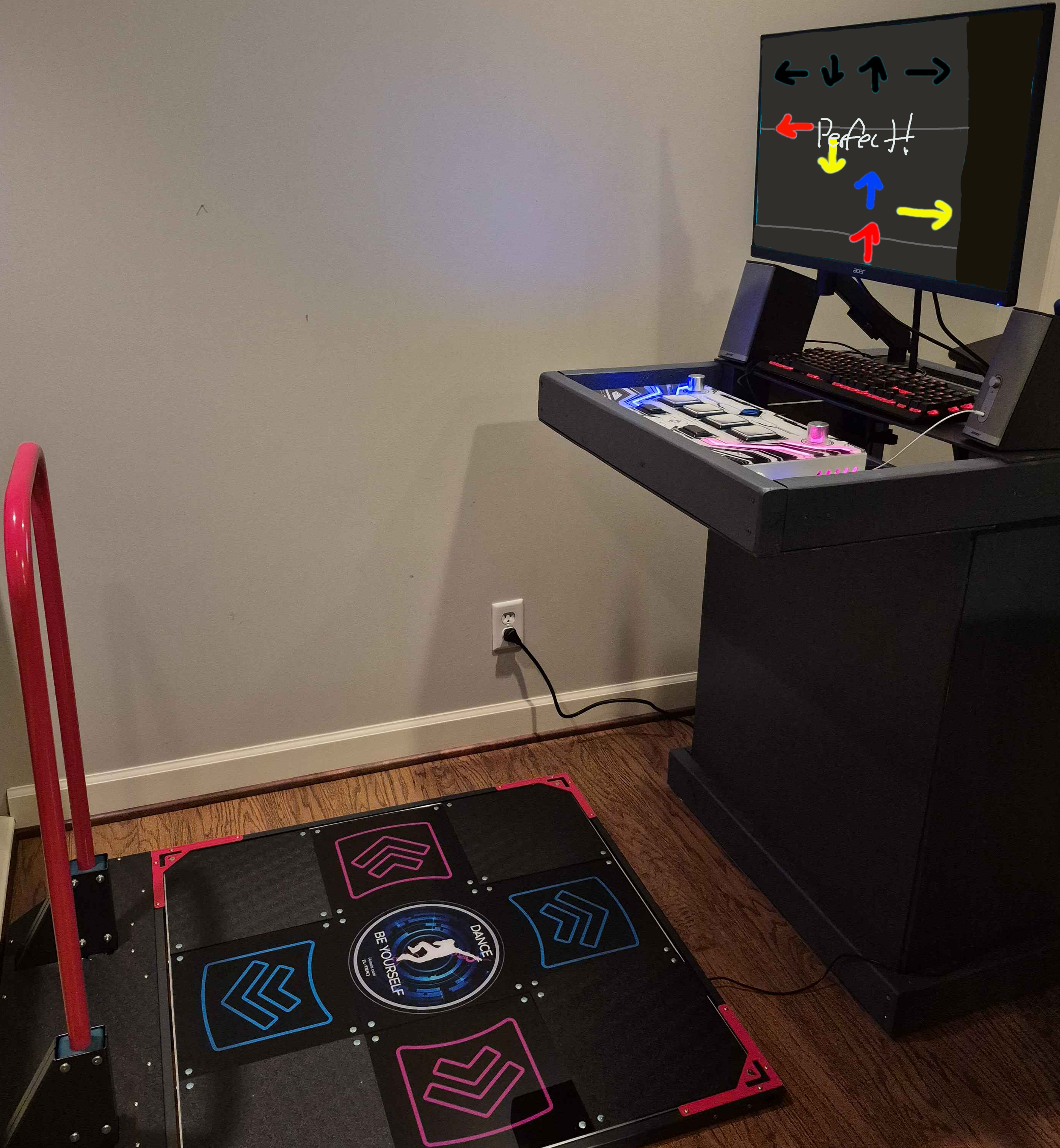
There it is, the completed cabinet.
At first you’d think it’d fall forward during use but the PC moves the center of mass down and towards the back making it surprisingly difficult to tip. Still possible, but not with normal use.
I used old unused hardware where I could, the speakers and keyboard hadn’t been used for years before this. The keyboard was my first mechanical keyboard! It’s a Corsair K70 Rapidfire with “speed” silver switches, it has ghosting issues and the key caps aren’t in great condition. I also do not recommend silver switches, especially with current keyboard technology. But that keyboard isn’t for gameplay so it doesn’t really matter.
The monitor and stand aren’t anything special, an Acer 1080p 144hz with a random stand I found on Amazon.
Now the rhythm game controllers, that’s where things get more interesting!
First we have the Sound Voltex controller, it’s a Yuancon SDVX 12 White. It’s a really solid controller with a nice feel.
The DDR pad is an L-TEK which requires a lot of modification for an okay experience. I have it penny modded (there are pennies between the sensor contacts to increase sensitivity) and I put a 40 pound weight underneath the bar [not pictured] to reduce wobbling. I’d like to build my own pad using FSRs eventully but that’s for another time.
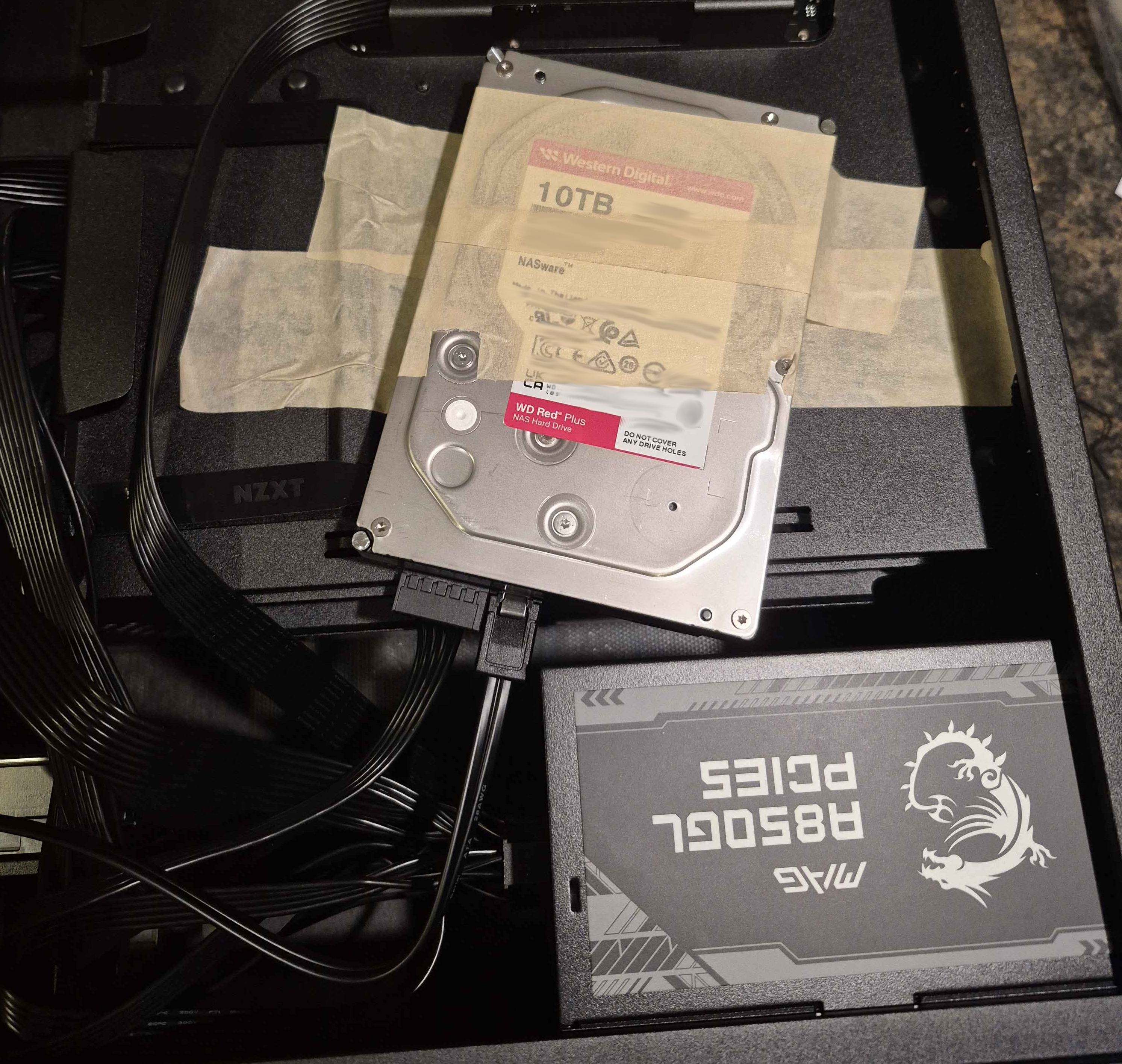
The PC is rather overpowered with 14TB of storage, a 5060ti, and 64GB of RAM. Luckily, I built this before RAM and Storage prices shot through the roof so it was several thousand less than what it would’ve been had I bought it today… :-)
It’s overpowered since I’m using it for more than this arcade setup ;)
The Software
Obviously, the machine has rhythm games on it. Since it’s just a PC you can go to the desktop and blah blah blah whatever… I’m a software engineer, this is my specialty. A boring solution like that is unacceptable.
So I made my own launcher using C++ and OpenGL.
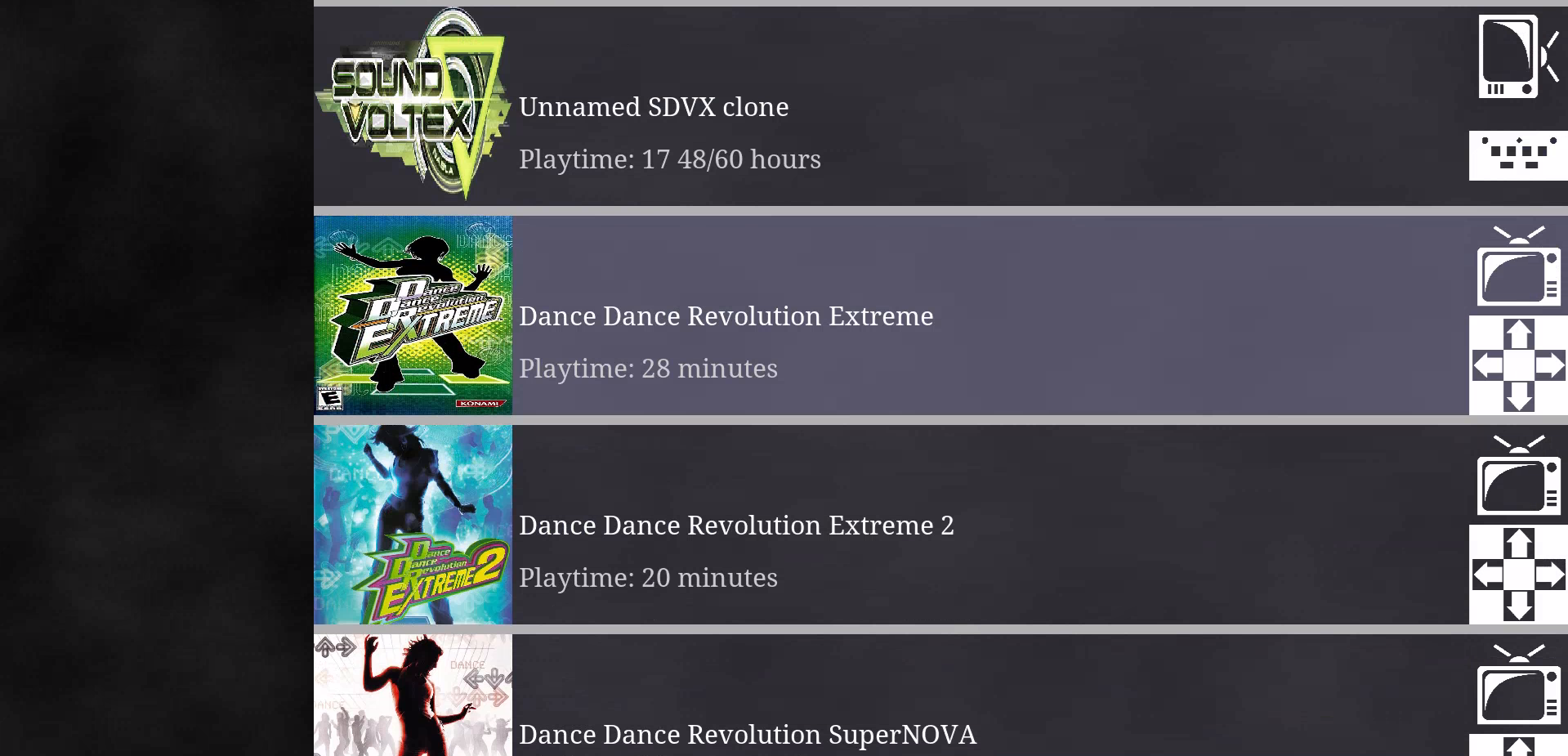
Game Select
The design of the game select is meant to mimic the design of the song select in Etterna and older DDR games. The icons on the right indicate the monitor orientation and controller. Everything is customizable through a json file, here’s a what that looks like:
...
{
  "type": "etterna",
  "info": {
    "name": "Etterna",
    "orientation": "landscape",
    "controller": "dancepad",
    "icon": "./icons/etterna.jpg"
  },
  "params": {
    "exe": "C:\\Etterna\\Program\\Etterna.exe"
  }
},
{
  "type": "ps2",
  "info": {
    "name": "Dance Dance Revolution SuperNOVA",
    "orientation": "landscape",
    "controller": "dancepad",
    "icon": "./icons/ddrsn.jpg"
  },
  "params": {
    "rom": "C:\\roms\\ps2\\DDR SuperNOVA.iso"
  }
},
...
The "type" field indicates how the game should be handled, "ps2" for example will launch an emulator and setup virtual memory cards. These types have further configuration, a global one [in a seperate file] which in this case indicates which emulator to use (I’m using PCSX2) and a local one controlled by the "params" field. "info" is common between all types and controls how it’s displayed in the game select. "orientation" also lets the launcher automatically set the monitor orientation when the game is launched. I’m using the Windows APIs for subprocessing and orientation changes, since this launcher is only meant for this machine (and some games don’t play nice on Linux) I can get away with platform dependent code.
Handling things like ps2 memory cards and game saves becomes a lot more interesting with the next big feature, profiles!
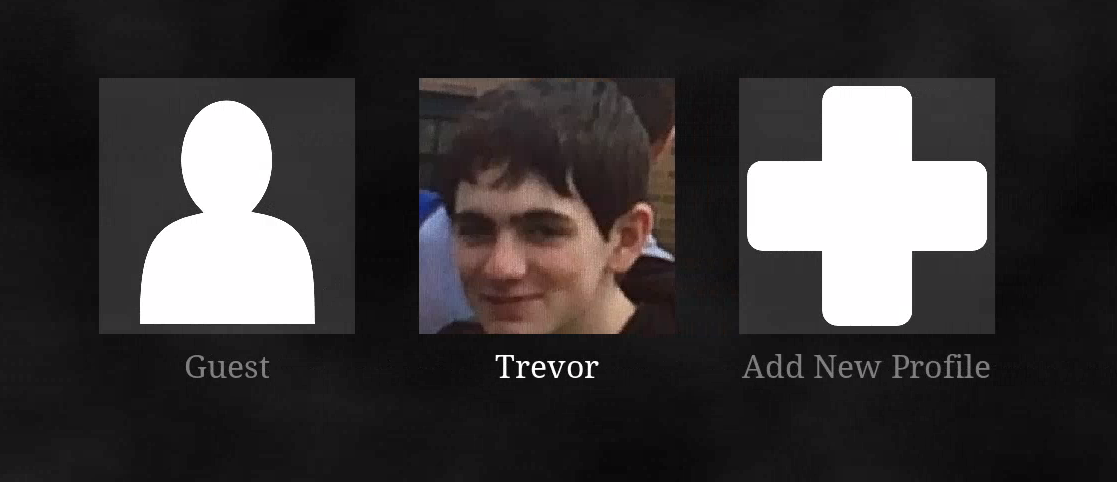
Profile Select
You may have noticed earlier on the song select a “Playtime” counter, that data for that comes from profiles! Profiles are a neat way for the launcher to separate save data and per-game config between users. Each player gets their own folder which includes the save data for each respective game. Then when the profile (and game) is selected I make a symlink (yes, Windows has symlinks) to point the game to the player’s data. Some games also have command line flags which I can control. Each profile gets their own json, for example:
{
    "code": "DEADBEEF",
    "name": "Trevor",
    "pfp": "C:\\pfps\\trevor.png",
    "playtimes": {
        "Dance Dance Revolution Extreme": 1700,
        "Dance Dance Revolution Extreme 2": 1222,
        "Dance Dance Revolution SuperNOVA": 383,
        "Dance Dance Revolution SuperNOVA 2": 4353,
        "ITGmania": 86655,
        "Etterna": 91835,
        "Unnamed SDVX clone": 64099
    }
}
The guest profile behaves similar but lacks playtime counters and certain command line flags aren’t passed. I planned for profiles to have password protection but I’m the only one that really uses the machine so I never got around to it.
Closing
The arcade cabinet satisfies my arcade rhythm game desires. There are still some things you only get in an arcade, most notably the actual games themselves, but now the occasional Round1 trip is that much more special.
In the future I’d like to get more controllers and add support for more games. Also adding some new features like password protection to profiles would be nice.
Thanks for reading, since this is the first post I wanted something less serious and technical, look forward to some technical posts!